Extract XML from ZUGFeRD PDF
Extracts the embedded ZUGFeRD XML invoice data from a ZUGFeRD compliant PDF and returns it as a standalone XML document for further processing.
 Extract XML from ZUGFeRD PDF
What this action is for
A ZUGFeRD or Factur-X invoice is a PDF that carries the invoice data as XML inside. This action takes the XML out of the PDF, so your flow can read the invoice data, save the XML or turn it into a readable PDF with Convert XML invoice to PDF.
Try it with a sample e-invoice
Download the sample e-invoice (PDF). We created it from our sample invoice. You can create such an e-invoice from your own invoice data with Convert invoice to ZUGFeRD PDF.
Add the action
Create an instant cloud flow with the trigger Manually trigger a flow and add a File input; here it is called ZUGFeRD PDF. Below the trigger choose + and Add an action, search for ZUGFeRD and select Extract XML from ZUGFeRD PDF.
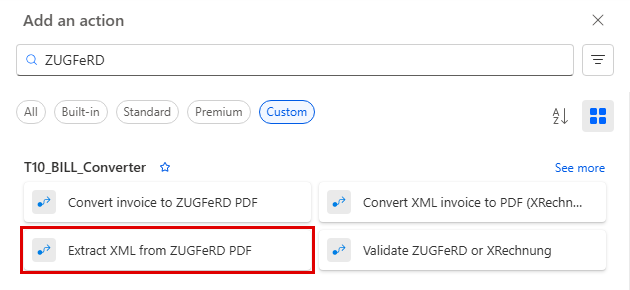
The picture was taken in our test environment. In your flow, the action is part of the connector BILL Converter by Power2Apps.
Choose the file
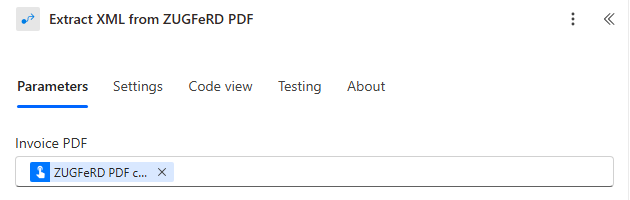
Put the file content of the trigger into Invoice PDF. In a real flow it comes for example from an email attachment or from Get file content.
Run the flow and check the result
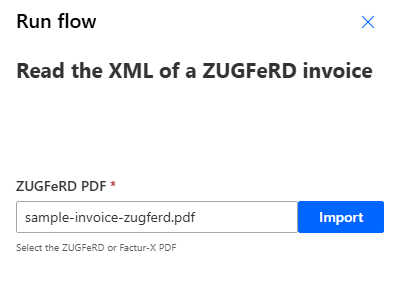
Save the flow, choose Test, then Manually. Select the sample e-invoice with Import and start the flow with Run flow.
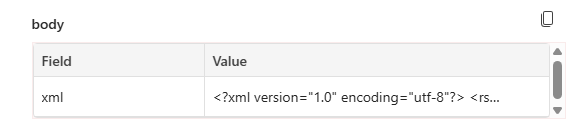
XML is the invoice data as text, here a CII invoice that starts with <?xml version="1.0" encoding="utf-8"?> and <rsm:CrossIndustryInvoice>.
Use the XML in the next step
- Save it as a file with Create file, for example as
RE-2026-0815.xml. - Turn it into a readable PDF with Convert XML invoice to PDF: put XML into Invoice XML.
Parameters
| Property | Name | Type | Description |
|---|---|---|---|
invoicePdf | Invoice PDF | file (base64) | The ZUGFeRD or PDF/A-3 invoice PDF that contains the embedded XML. |
Returns
| Property | Name | Type | Description |
|---|---|---|---|
xml | XML | string | The embedded XML invoice data extracted from the PDF. |
Example request
{
  "invoicePdf": "<base64-encoded file content>"
}
Example generated from the connector definition.